Images
Product and variant images in their original quality. Images are included by default.
Pick your products or your Content > Files library, filter by collection, vendor, status or date, and name every file by SKU, barcode or title. Preview the result, then download the original files, sorted into folders.
Free plan · 100 files per month · no credit card
Shopify's product CSV export holds image links, not the files, and the admin has no bulk download button. When you need a backup, a migration, marketplace feeds or a photo archive, Export Product Images does it in one run.
What you can export
Product exports and Content > Files exports both give you the original uploaded files, not resized copies.
Product and variant images in their original quality. Images are included by default.
Product videos and videos in Content > Files, as the file you uploaded.
3D models attached to products or stored in Files, exactly as uploaded.
PDFs and other generic files from Content > Files, including files not used anywhere.
YouTube and Vimeo videos are never exported, because Shopify stores a link and not a file. Media that Shopify is still processing is skipped.
How it works
The app only reads your store. Nothing in Shopify is changed or deleted.
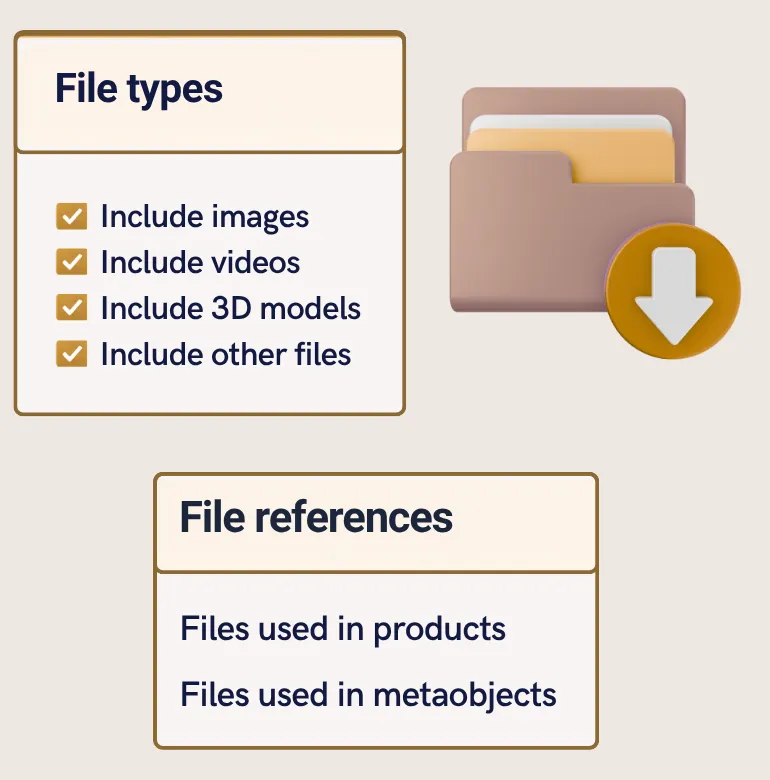
Export product files or your Content > Files library. Tick images, videos and 3D models, then filter by status, vendor, collection or creation date. You can also export only the main product image, or only products with stock.
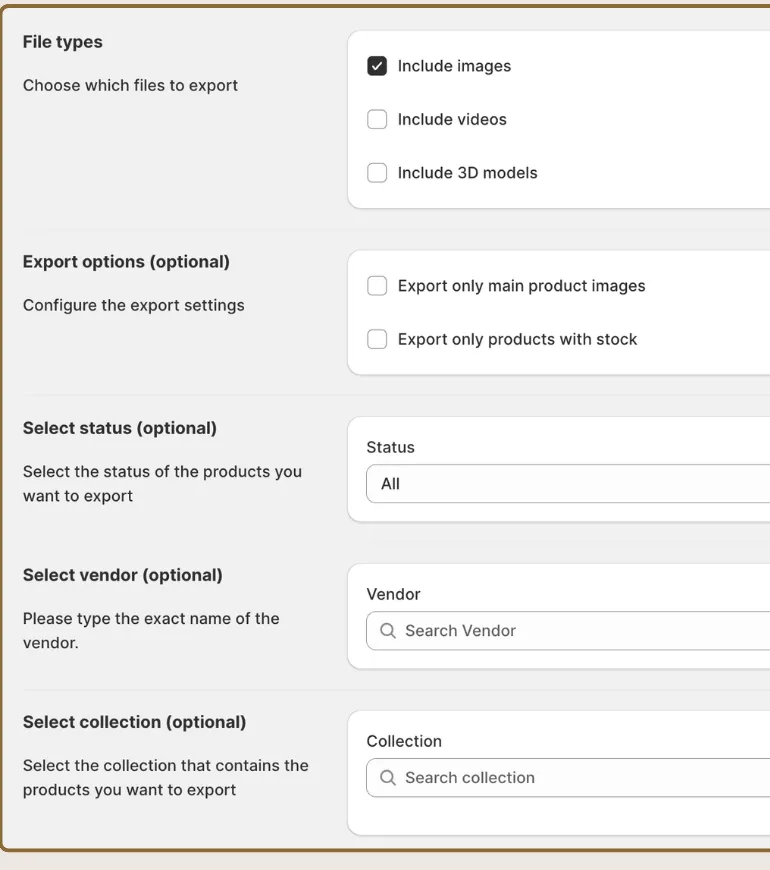
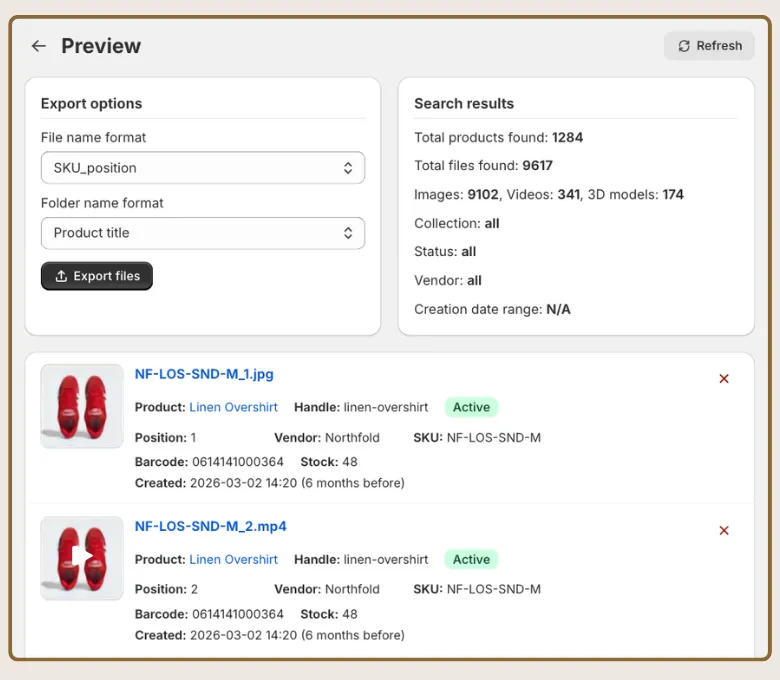
Press Preview files to see each file with its product, SKU, barcode, stock and file name. Remove anything you do not want with one click.
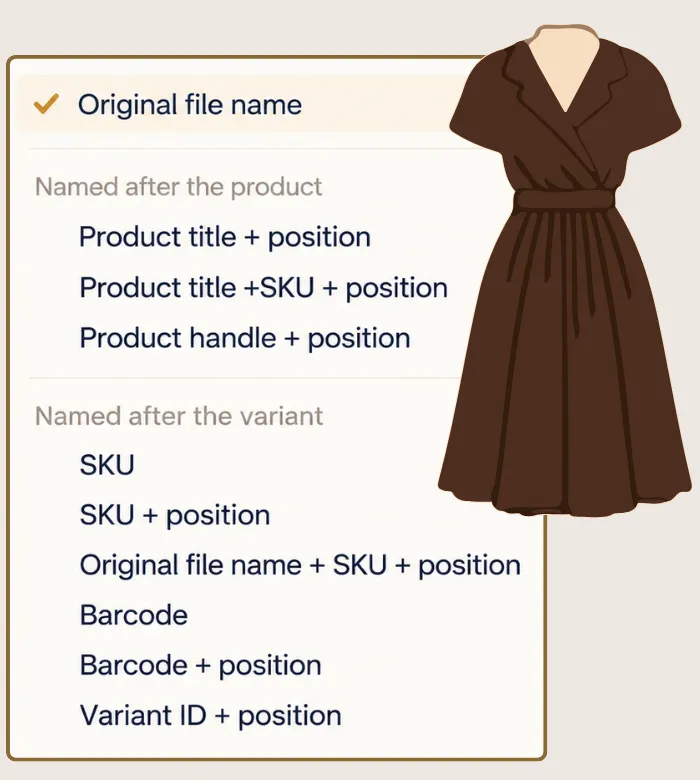
On the preview page, name files after the original name, SKU, barcode, variant ID, product title or handle, with the image position. Put them all in one folder or in one sub-folder per product. The list updates with the final names.
The export runs in the background, so you can close the app. You get an email when it is done, and the download link works for 7 days.
Features
Export the media attached to your products as original files. Images are on by default, videos and 3D models are one checkbox each.
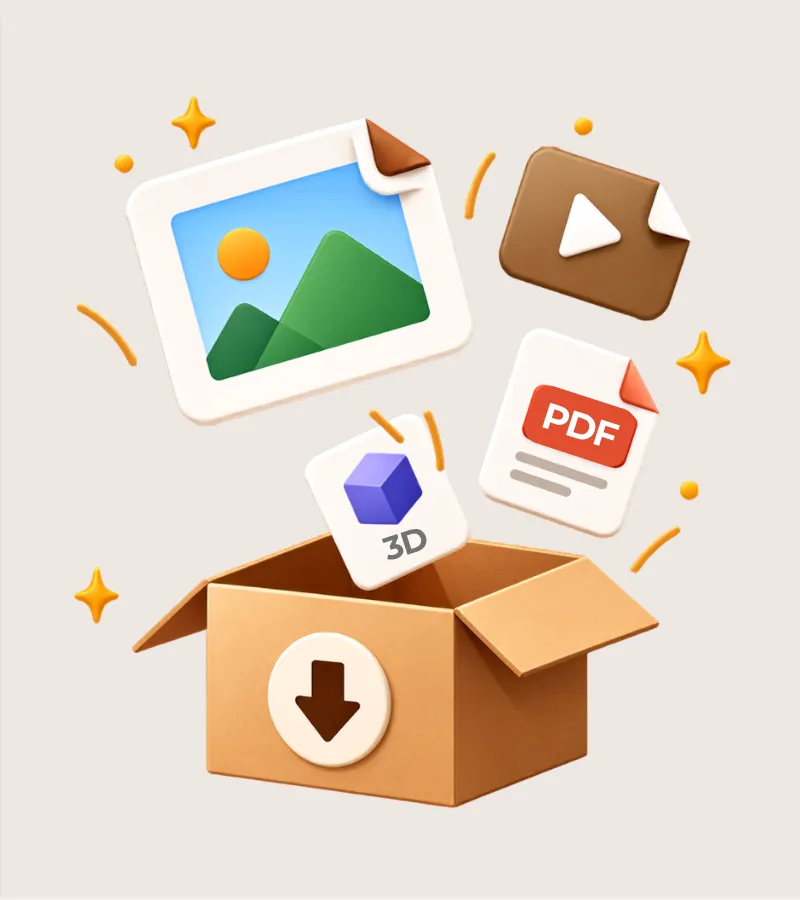
Export the whole Files library: images, videos, 3D models and PDFs, including files that no product uses.
Products by status, vendor, collection, creation date and stock. Files by type, upload date and where they are used.
Original name, SKU, barcode, variant ID, product title or handle, mostly with the image position, like SKU_1.jpg.
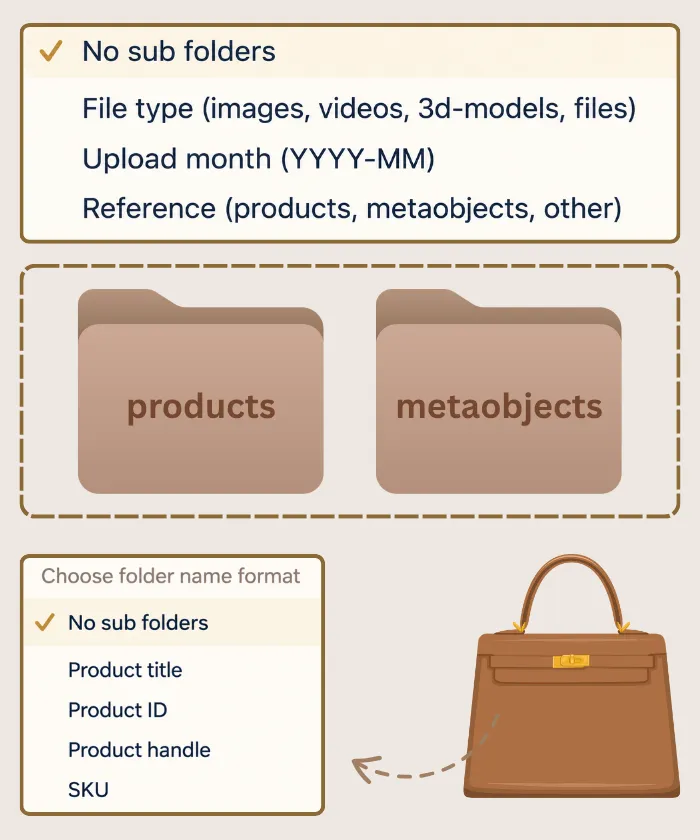
Folders by product title, ID, handle or SKU. Content files can go by file type or upload month.
See every file and the exact name it will get. Duplicate names are numbered so nothing is overwritten.
Exports run in the background and stream into a single ZIP of up to 160 GB. Interrupted downloads resume where they stopped.
You get the files Shopify holds, not thumbnails or compressed renditions.
The app can read your products, files and metaobjects. It cannot edit or delete anything in your store.
Live chat inside the app and email support. Several features started as merchant requests.
Content > Files
Shopify keeps uploads in Content > Files, and not every file belongs to a product. Export them all, or only the ones you choose.
File naming
Choose a format and the preview shows the final names before anything is exported. The image position follows Shopify's media order and starts at 1.
<SKU>_<position>.<extension>
| Format | Example file | Good for |
|---|---|---|
| SKU_position | TSHIRT-BLK-M_1.jpg | Warehouse and ERP matching |
| Barcode_position | 7891234567890_1.jpg | Marketplaces and barcode-based tools |
| ProductHandle_position | linen-shirt_2.jpg | Web-friendly, URL-style names |
| ProductTitle_SKU_position | Linen-Shirt_TSHIRT-BLK-M_1.jpg | Browsing by product in a folder |
Works with
Smart Bulk Image Upload is our sister app. Export your images here, edit or rename them, then upload them back to the right products by SKU, barcode or title. Each app lists the other under Works with on the Shopify App Store.
Reviews
Rated 4.7 out of 5 from 31 reviews on the Shopify App Store.
“Fantastically powerful app. Enabled us to quickly export all the product and variant images for lots of products that would have been prohibitively time consuming to do manually. After manipulating the images I was then able to use the equally powerful Smart Image Upload from the same authors to quickly replace all the images in my store. Best of all is the support.”“Best customer service ever! Simple and efficient app. We needed an app to export our images in zip files for flash sales and we just found it. We needed an evolution and in 30 minutes, it was done! Thanks a lot”“Does what it says on the tin. Very useful folder and image naming options; makes bulk data processing a lot easier. Well worth what you'll get out of it in time saved.”“Works as described. Had a request for an extra feature to be added so I contacted support and they added it on overnight!”“Zip files. Works as it should. We only needed it once to save us hours of work.”“Saves me a lot of time and easy to use for the entire team!! Recommended”“Easy way to export product images from Shopify.”“Super intuitive and fast!”“Worked flawlessly! Exactly as advertised.”At a glance
Export Product Images is a Shopify app by Craftshift that bulk-exports product images, videos and 3D models, and the Content > Files library, as a single ZIP file with files named by SKU, barcode, title or handle and sorted into folders.
Pricing
Previews are free and unlimited. Plans differ by how many files you can export each month.
Try it on your real catalog
Free
Start freeFor small catalogs and one-off backups
$29/ month
Choose planFor growing catalogs and regular exports
$69/ month
Choose planFor large catalogs and agencies
$99/ month
Choose planAll prices in USD, billed every 30 days through Shopify. Change or cancel any time.
Export Product Images is a Shopify app that bulk-exports your product images, videos and 3D models, and your Content > Files library, as one ZIP file.
Instead of saving files one by one, you filter your products, choose how files and folders are named (by SKU, barcode, product title and more), check a preview and download the original files. The app only reads your store, so nothing is changed or deleted.
Install Export Product Images, open Export product files, keep Include images ticked and press Preview files, then press Export files and download the ZIP when the job finishes.
Shopify itself has no bulk download button, and its product CSV export only holds image links. The app downloads the original files for you, in the background, and emails you when the ZIP is ready.
From products you can export images, videos and 3D models. From Content > Files you can export images, videos, 3D models and other files such as PDFs.
Images are included by default in a product export. Videos and 3D models are opt-in checkboxes, so existing exports stay the size you expect.
Product files can keep the original name or be named by SKU, barcode, variant ID, product title or product handle, mostly with the image position added. For example, the SKU_position format names the first image of SKU TSHIRT-BLK-M as TSHIRT-BLK-M_1.jpg.
If a product has no SKU or barcode, its files keep their original names. Content files use the original name or the alt text. The full list is in the file names and folders guide.
It is free for 100 files per month. Paid plans are Starter at $29 (1,000 files per month), Advanced at $69 (10,000 files per month) and Premium at $99 (unlimited files). Shopify bills paid plans every 30 days.
Every plan includes every feature. Paid plans add priority in the export queue.
Install in under a minute, preview your files and names, and download your first ZIP before you spend anything.